Latency calibration
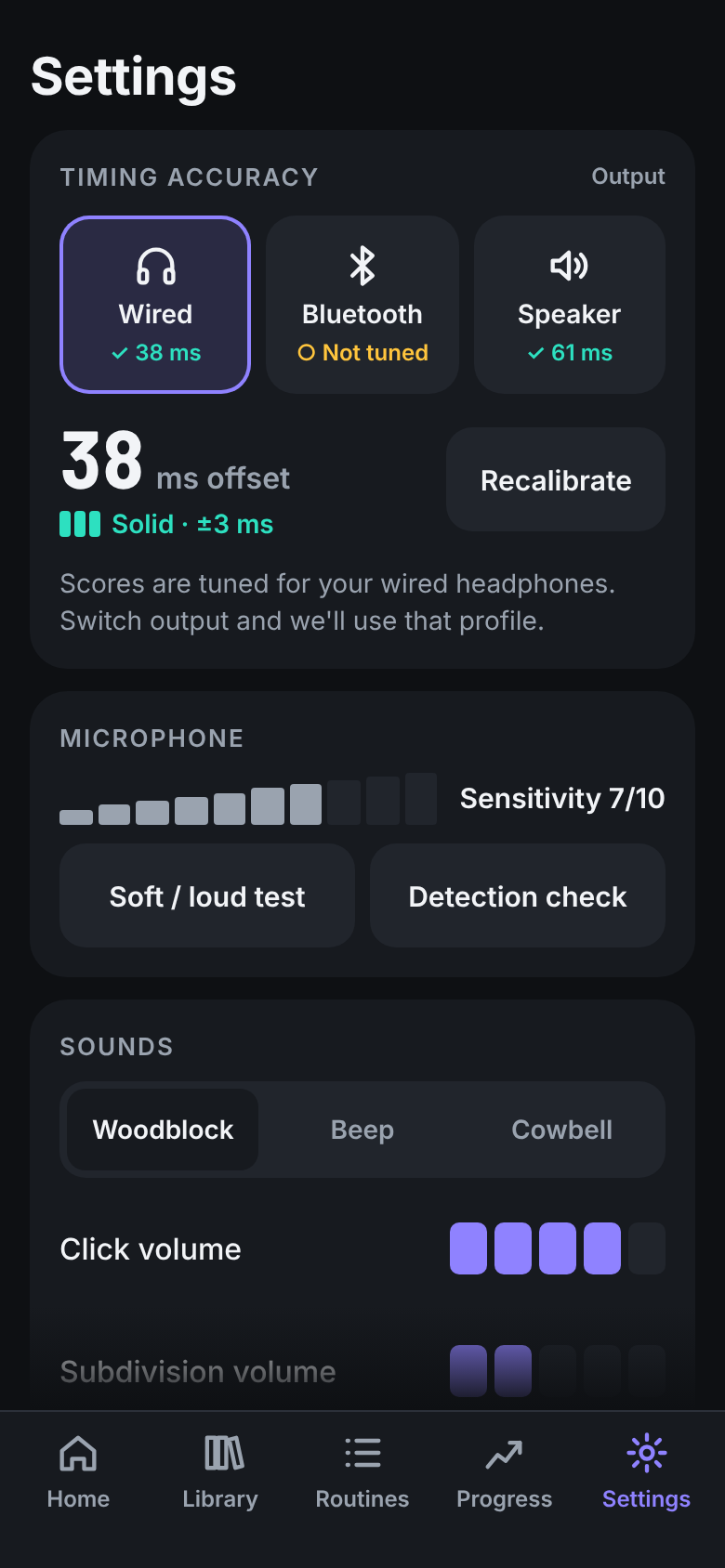
Tap along to 16 clicks and DrumKey learns your output delay — a separate profile for wired, Bluetooth and speaker. That is what makes every millisecond score trustworthy.
Local-first drum timing trainer
Prop your phone by the pad, start the click, and play. DrumKey shows you — hit by hit, in a single glance — whether you were ahead of the beat or behind it. No account. No network. Just you and the time.
The signature feedback
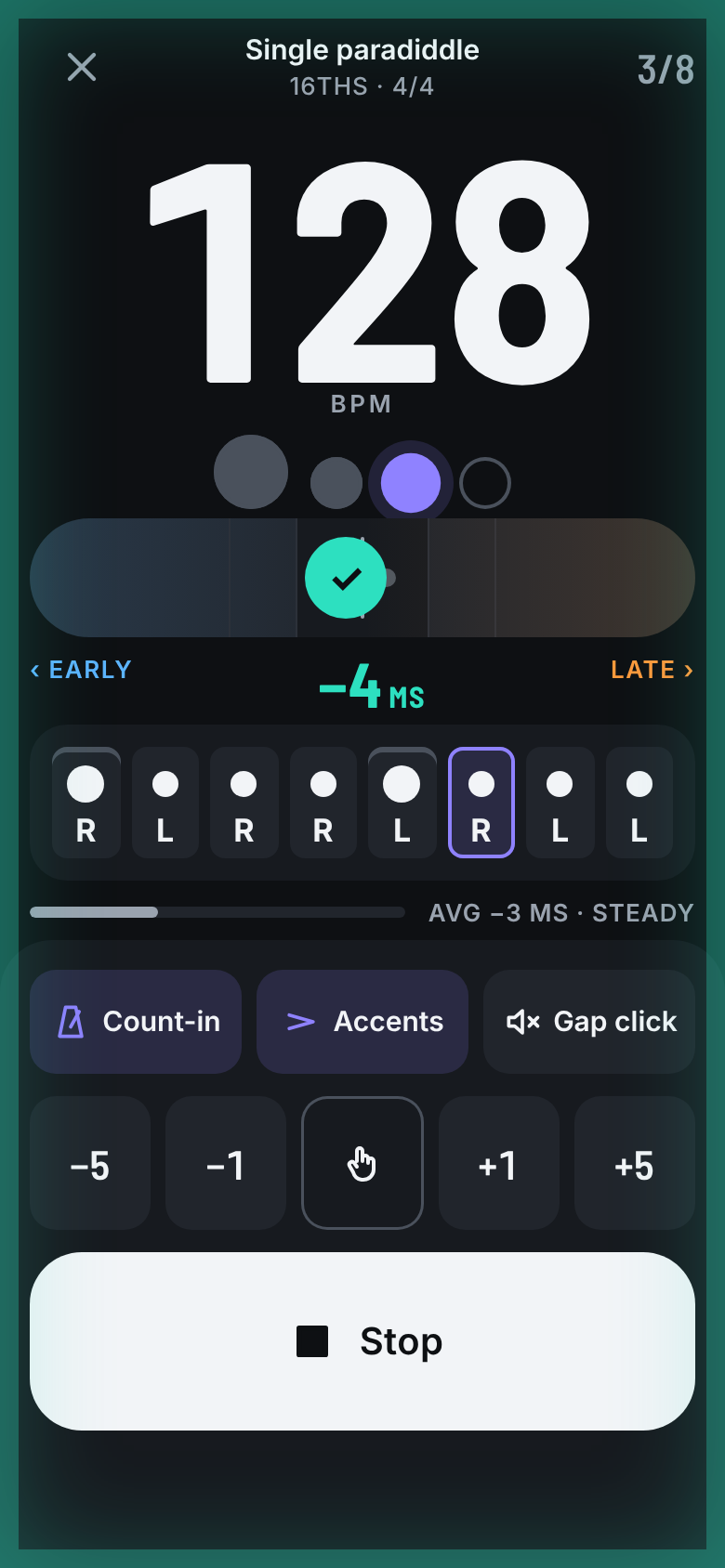
Centre is on time, left is early, right is late. Every hit springs the marker to its offset. You feel the beat's tightness in peripheral vision — no sentence to read, no number to decode mid-pass.
Solid disc, centred
Hollow ring, off-centre
Outlined chevron, at the edge
Timing is never carried by colour alone. Position, shape and glyph each identify the state on their own — so the feedback stays clear for every kind of colour vision, and in bright or dim rooms alike.
Everything the pad asked for
Not a toy, not a dashboard. Every screen serves one moment: a drummer with sticks, a metre from the phone, glancing between hits.
Tap along to 16 clicks and DrumKey learns your output delay — a separate profile for wired, Bluetooth and speaker. That is what makes every millisecond score trustworthy.
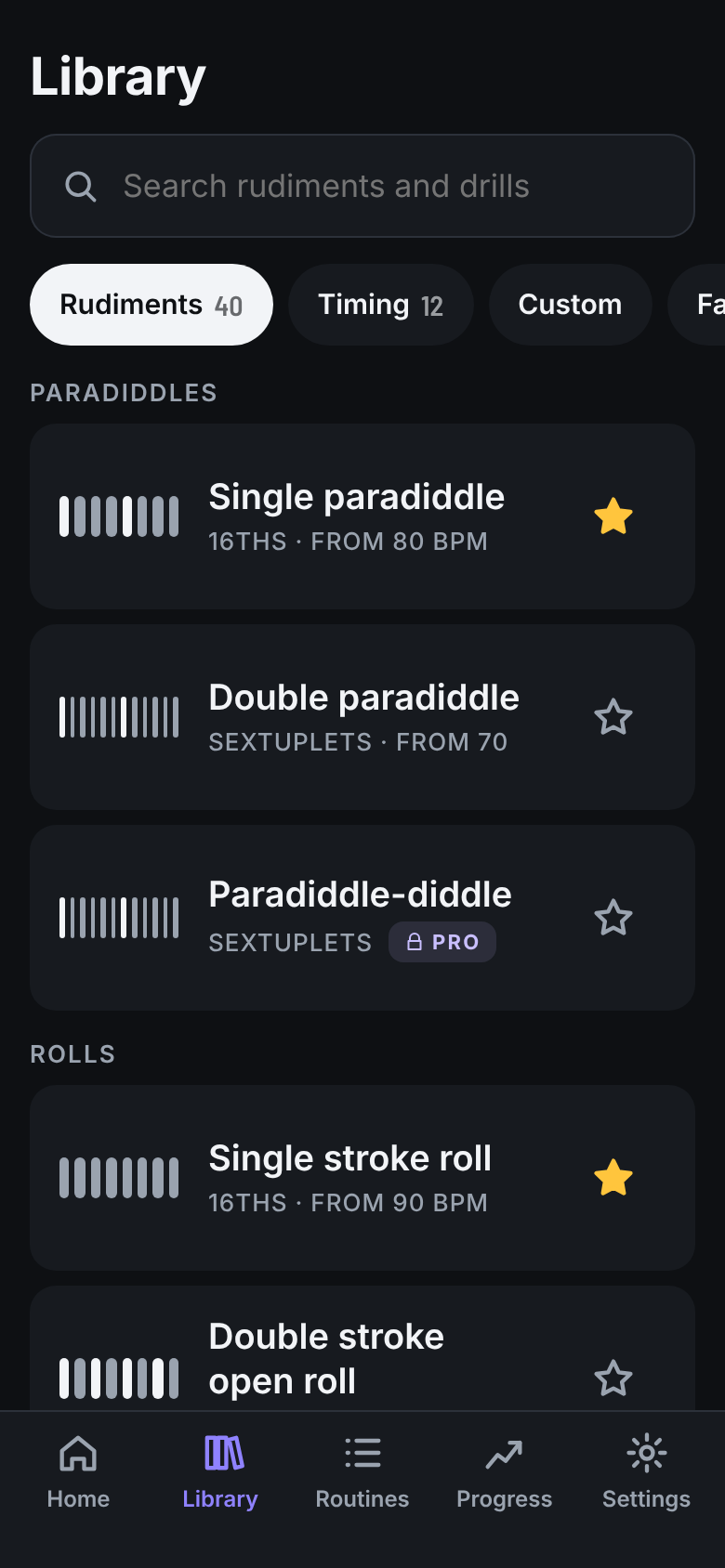
The 40 PAS rudiments plus timing drills — 8ths, 16ths, triplets, subdivision switching. Tap a row and you are playing it at its tempo.
A big step grid you can tap with a stick in hand. Place hits, set sticking R / L, mark accents, pick a tempo, save.
Stack exercises into a session with a tempo or speed-trainer per block. Start it and move block to block without leaving the loop.
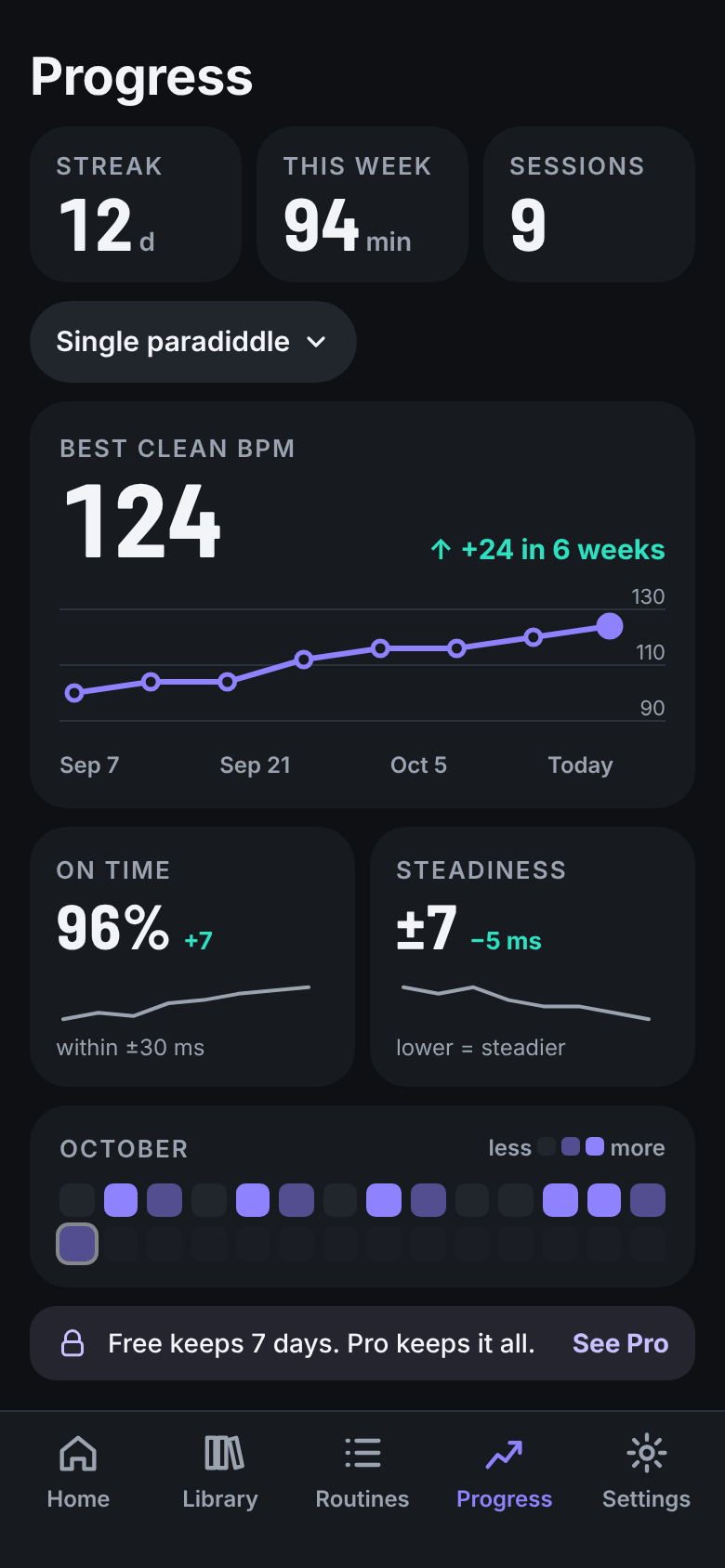
Best clean BPM per exercise, on-time and steadiness trends, a practice calendar and your streak. See the plateau break.
Everything runs on the device. No account, no sign-in, no network calls — nothing to wait for and nothing to leak.
The core loop
The whole app is built to keep this loop frictionless — the suggested next tempo drops you back into practice in a single tap, with no loading in between.
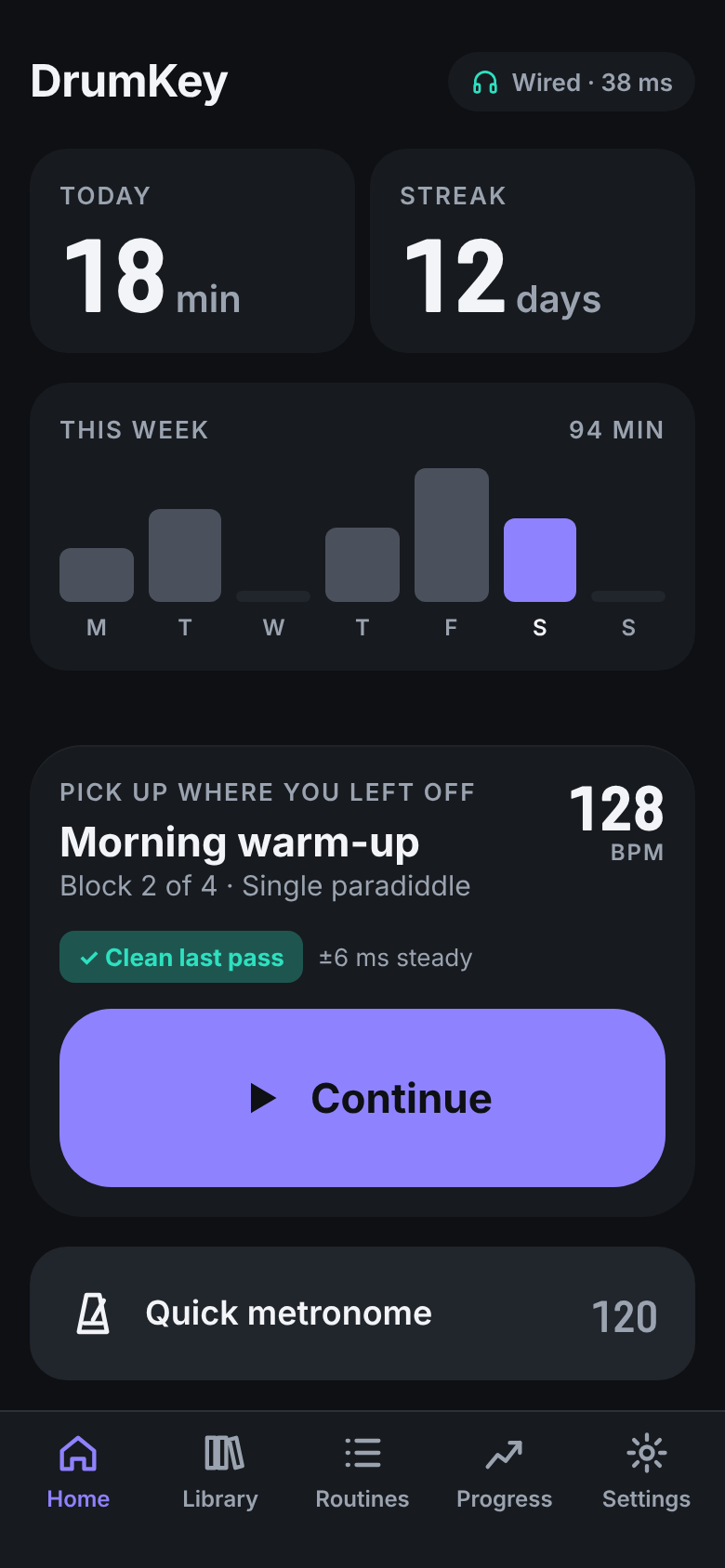
Continue where you left off, or choose a rudiment, drill or routine.
A bar of big count-in numerals, then the click. Screen stays awake.
The needle springs on every hit; the screen edge flashes tight, close or off.
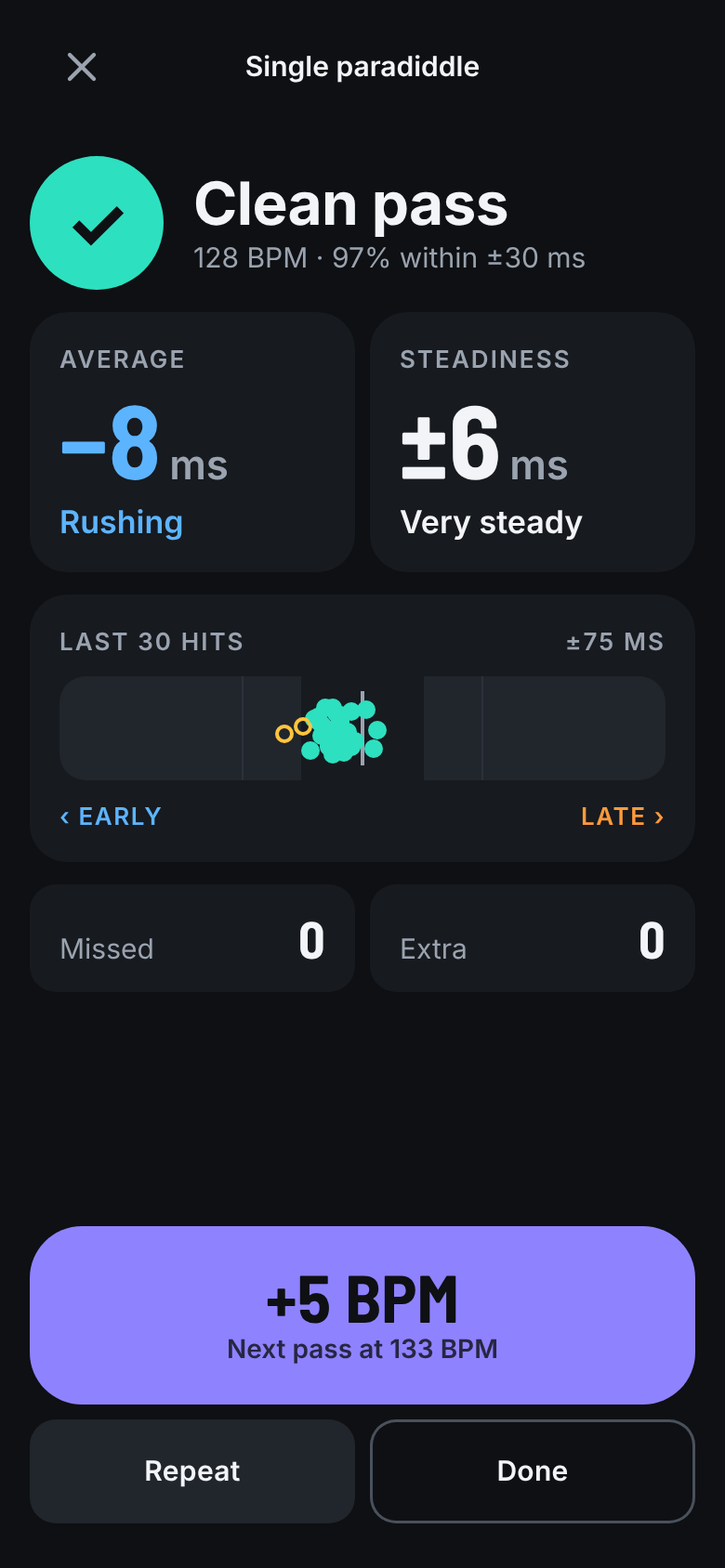
Clean or not, how you were rushing or dragging, and how steady you held.
+5 BPM when clean, Repeat when not — straight back into the next pass.
Dark-first, light-equal
Oversized numerals, restrained neutrals so the timing colours pop, and tap targets a stick can hit. A full light theme ships alongside.
Three rules, never traded
Colour-blind-safe timing cues, a reduced-motion variant, and WCAG-AA contrast in both themes — accessibility is built into the signal, not bolted on.
BPM and timing feedback are sized to carry across the room — no fine print in the active zone.
Every control is thumb- and stick-sized. Start and Stop are huge. No tiny sliders in the play flow.
During a pass, feedback is colour, position and shape — understood in a sub-second peripheral glance.
Questions
Your phone’s microphone picks up the stick on the pad. A quick sensitivity test sets the threshold so soft and loud hits both register cleanly — no extra hardware needed.
Every output — wired, Bluetooth, speaker — adds its own delay. Tapping along to 16 clicks measures that delay so your millisecond scores reflect your playing, not your headphones. DrumKey keeps a profile per output.
No. DrumKey is local-first: everything runs on the device, with no account and no network calls. Your practice data stays on your phone.
V1 focuses on a practice pad with the built-in mic. MIDI input and record / replay are on the V2 roadmap.
Yes. Dark is the default and the primary design target, and a full light theme ships alongside it with the same contrast relationships.
DrumKey is launching on Android first. Core practice is generous and free; some advanced features will sit behind a friendly, clearly-labelled Pro tier later. No dark patterns, ever.
Coming soon · Android first
DrumKey is in the studio now. Leave your email and we’ll tell you the moment it lands on Google Play — nothing else.
No spam. One message, at launch.